WoW Tools
A small Windows tray app for World of Warcraft that keeps your settings and addons safe: backups after every session, one-click restore, addon updates while you are not playing, and UI profiles you can put on any character.
Windows SmartScreen may ask to confirm the start — why and what to press.
What it does
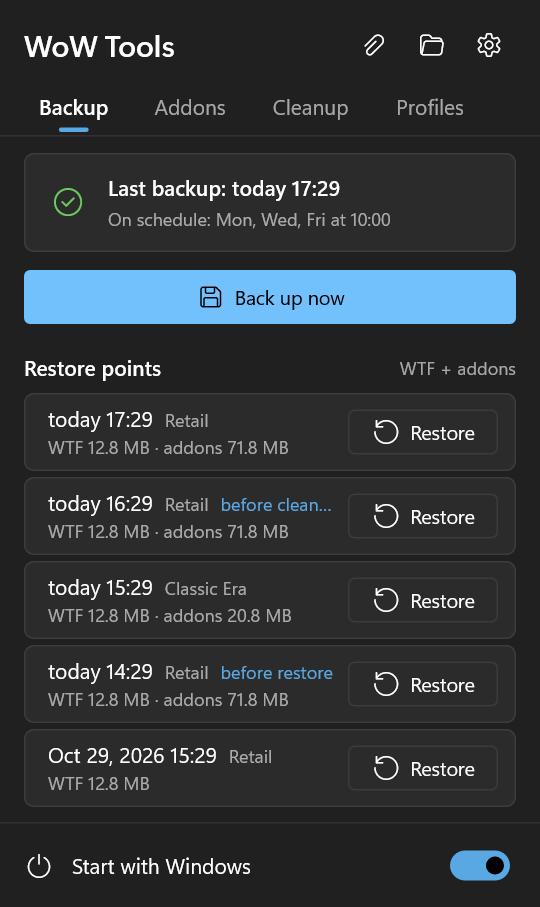
It runs in the tray and does its work when the game is closed. Every version of the game you have installed is covered: Retail, Classic, Classic Era, Anniversary, PTR and beta.
Backups
WTF (bindings, macros, chat, CVars, addon settings) and Interface\AddOns — after every game session or on a schedule.
One-click restore
Back to any earlier point. The current state is saved first, so a restore can always be undone.
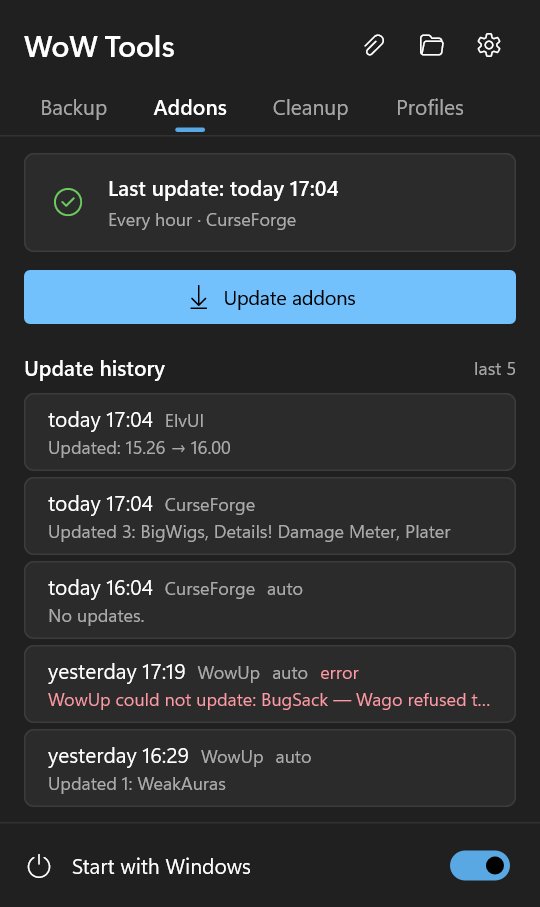
Addon updates
Through the manager you already use — CurseForge, WowUp, WowUp-CF or the Wago App — without a window, on a schedule, never while you play. ElvUI straight from its official site.
Game patches
When Battle.net patches the game, settings and addons are saved before the first start on the new version, and you see which addons are not made for it yet.
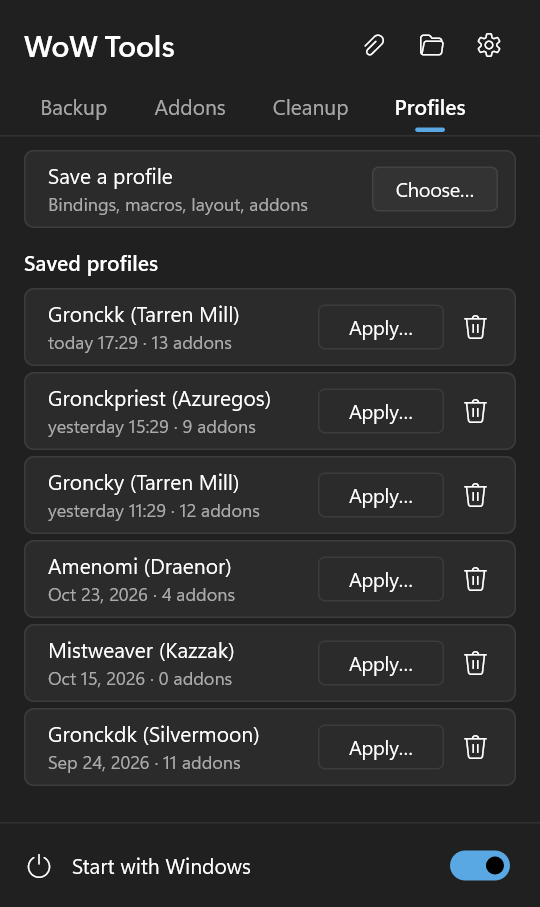
UI profiles
Save a character's interface — bindings, macros, layout, addons and their profiles — and put it on another character in two clicks.
Copy between characters
Bindings, macros, chat windows, frame layout, enabled addons and addon settings from one character to others.
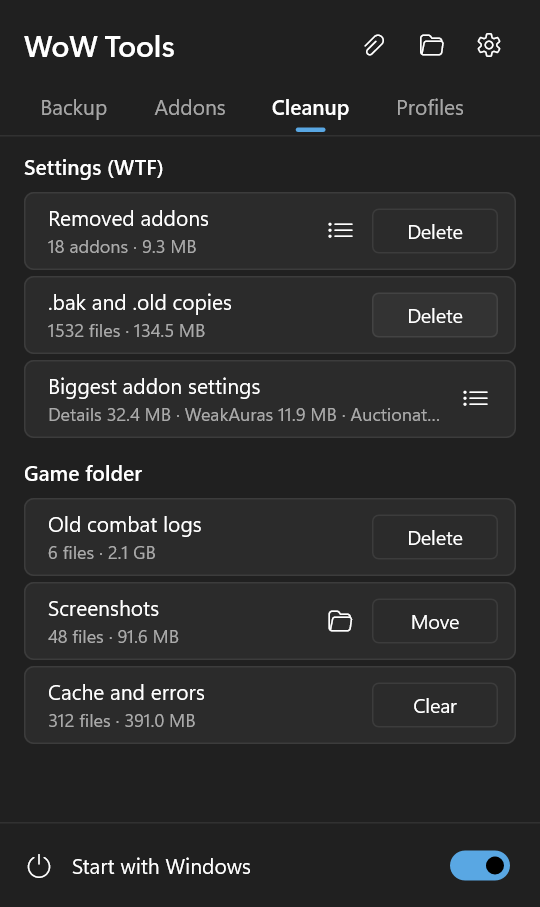
Cleanup
Settings of removed addons, WoW's .bak copies, old combat logs, screenshots and the cache — with sizes, in one click.
Updates itself
Checks GitHub once a day and installs a new version in one click. Each download is checked against its SHA-256.
Five languages
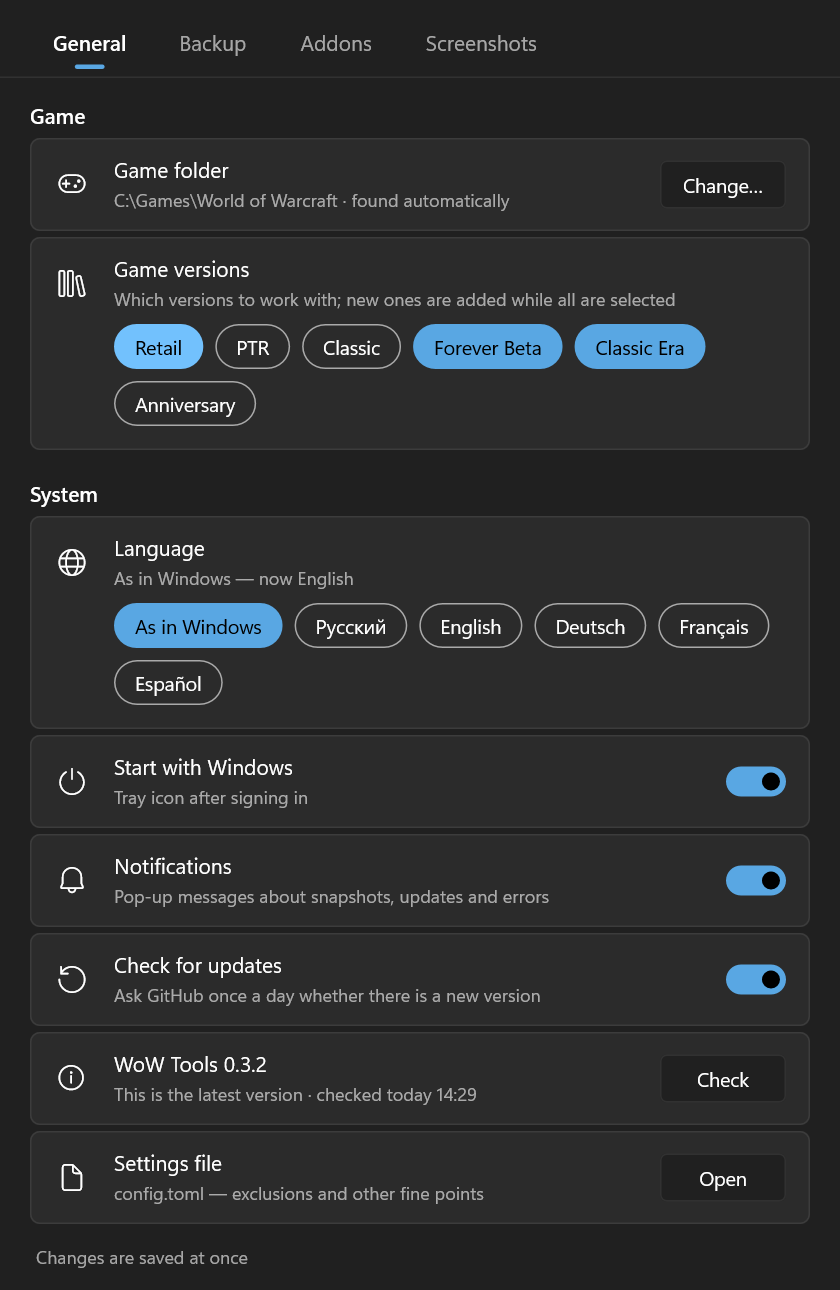
English, Russian, German, French and Spanish. Follows the Windows light or dark theme and accent colour.
A look inside
Left click on the tray icon opens the panel; the settings are one click away.
Download
Every release has the same program in three forms — pick one. Nothing else to install: no runtime, no administrator rights.
| File | What it is |
|---|---|
InstallerWoW-Tools-Setup-x.y.z.exe | Installs for your Windows user into %LOCALAPPDATA%\Programs\WoW Tools, adds a Start menu shortcut and, if you leave the box ticked, starts with Windows. Removed in Settings → Apps. |
PortableWoW-Tools-x.y.z-portable.zip | Unpack the WoW Tools folder anywhere, a USB stick too, and run wow-tools.exe. Settings, backups and the log stay in that folder. |
Bare exeWoW-Tools-x.y.z.exe | Put it in a permanent folder (autostart remembers its path) and run it. |
winget Coming soonGronck2.WoWTools | The installer from the command line: winget install Gronck2.WoWTools. The package is on its way into the winget catalog; until then, use one of the files above. |
Privacy and safety
Questions
What do I need?
Windows 10 or 11, 64-bit, and World of Warcraft installed through Battle.net. For addon updates — one of CurseForge, WowUp, WowUp-CF or the Wago App, set up. Backups, restore and copying work without them.
Can several addon programs be used at once?
No, on purpose: two managers over one AddOns folder break each other's addons. WoW Tools works with the one you choose.
Copied bindings disappeared after login.
Bindings and macros may be synchronised with the server, which can override copied files. The README shows how to switch that off.
Where does it find the game?
The registry, Battle.net's install list, then the usual paths. Game versions installed in other folders are found too; otherwise set the folder in Settings → General.
Is it free?
Yes. Open source under MIT or Apache-2.0, no ads, no accounts.
Everything else is in the full manual on GitHub.
Thank you
Thank you for trying WoW Tools! It is a free project made in spare time, and it grows from what players need. Tell us what works, what gets in the way and what you would like it to do: every idea and bug report is read and helps make the next version better. And if WoW Tools is useful to you, a star on GitHub makes us happy and helps other players find it.
Feedback goes to GitHub Issues; writing there needs a free GitHub account.